Admin Guide Overview
Applicable role: Admin user Last updated: 2026-08-06
The admin user is responsible for managing organization members, balance, API Keys, group permissions, and usage. Admin users can also create their own Keys to call models.
Key Responsibilities
| Area | What the admin user can do |
|---|---|
| Member management | Create, edit, disable, or delete members; set departments and business info |
| Permission management | Assign existing organization groups to members |
| Quota management | Set per-member pay-as-you-go quotas and concurrency limits |
| Key management | Create API Keys; configure groups, expiration, rate limits, and origin restrictions |
| Balance & subscriptions | Top up, redeem codes, view balance history, manage subscription members |
| Usage analysis | View organization summary, member usage, and individual usage records |
| Routing configuration | Set Key-bound groups, default model groups, and group identifier routing |
The model catalog, organization group scope, and organization-level concurrency are configured by the platform. To expand scope, submit a request to the platform.
Console Entry Points
| Menu | Purpose | Documentation |
|---|---|---|
| Dashboard | View balance, spending trends, model distribution, and recent usage | Billing and Usage |
| API Key | Create and manage Keys | API Keys and Routing |
| Default Model Config | Set fallback groups for plain model names | API Keys and Routing |
| Member Management | Manage members, quotas, departments, and group permissions | Member Management |
| Usage Records | Query organization and member call details | Billing and Usage |
| Available Accounts | View accessible accounts and their supported models and pricing | Model Access and Groups |
| Account Status | Check whether groups and accounts are available | Model Access and Groups |
| My Subscriptions | View subscriptions, subscription quotas, and validity periods | Subscriptions |
| Balance Management | View organization balance and change records | Balance and Quota |
| Redeem | Use redemption codes to add balance or entitlements | Top-up and Redeem |
| Profile | Edit account info and balance alerts | Low Balance Alerts |
The "Available Accounts" entry is hidden by default and only appears after the platform enables it for your account. Online top-up, orders, and other extended entries also appear based on the capabilities enabled for your account. If a particular entry is missing, use the alternative methods described in the corresponding documentation or contact the platform.
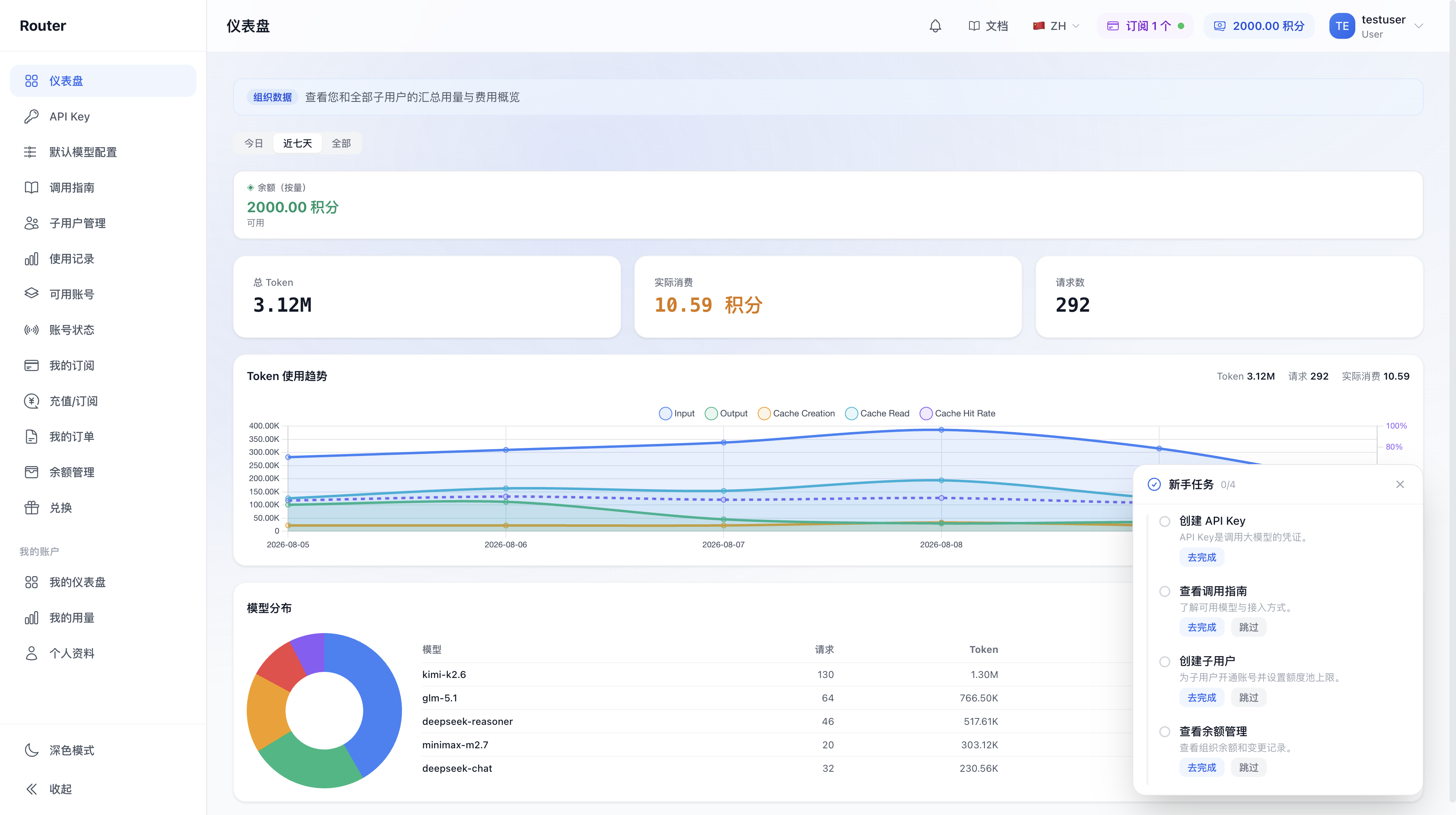
Members only see entries related to their personal usage. For role and permission comparisons, see Account System.
First-Time Setup Recommendations
- Review the models and groups available to your organization.
- Top up the organization balance via redemption codes or online payment.
- Create members and set their quotas, concurrency limits, and available groups.
- Create API Keys per person or application and bind routing groups.
- Copy the model call name from the call guide and complete a test request.
- Verify the Key, model, group, and cost in usage records.
- Set up routine checks for balance, quotas, and abnormal usage.
Solo developers or small organizations can start by creating the admin user's own Key and add members later as needed.
FAQ Quick Links
| Question | Documentation |
|---|---|
| How to create and activate members | Member Management |
| Why a Key cannot route | API Keys and Routing |
| Difference between balance and member quota | Balance and Quota |
| How to identify abnormal spending | Billing and Usage |
| Which Keys still work after balance runs out | Subscriptions |
| Model not visible or callable | Model Access and Groups |
| Other admin questions | Admin FAQ |