Dify and Coze Integration Guide
Target audience: App Developers, Workspace Administrators Last updated: 2026-08-06
Both Dify and Coze require you to register the platform as a model Provider first, then add the model to your app or workflow. Connection tests and workflow tests should be performed separately.
Dify
Go to Model Providers in your workspace settings and select OpenAI-API-compatible or an equivalent compatible Provider. Fill in:
| Field | Value |
|---|---|
| API Key | Your platform API Key |
| API Base URL | https://<your-api-endpoint> |
| Model Name | The call name from the "Call Guide" in the console |
| Model Type | LLM |
Use the endpoint address shown on the "API Key" page in the console.
The field may appear as API Base, Endpoint URL, or API Endpoint. Only enter /v1/chat/completions when the form explicitly requires a full request URL. Do not append this path to a standard Base URL field.
After saving, use Dify's Provider test first, then select the model in your specific app. If the Provider test succeeds but the app fails, check the node parameters and app orchestration.
Coze
Go to Model Management and select Model Integration and Custom Integration. The images below are from the actual Coze interface. Refer to the fields displayed in your current version.
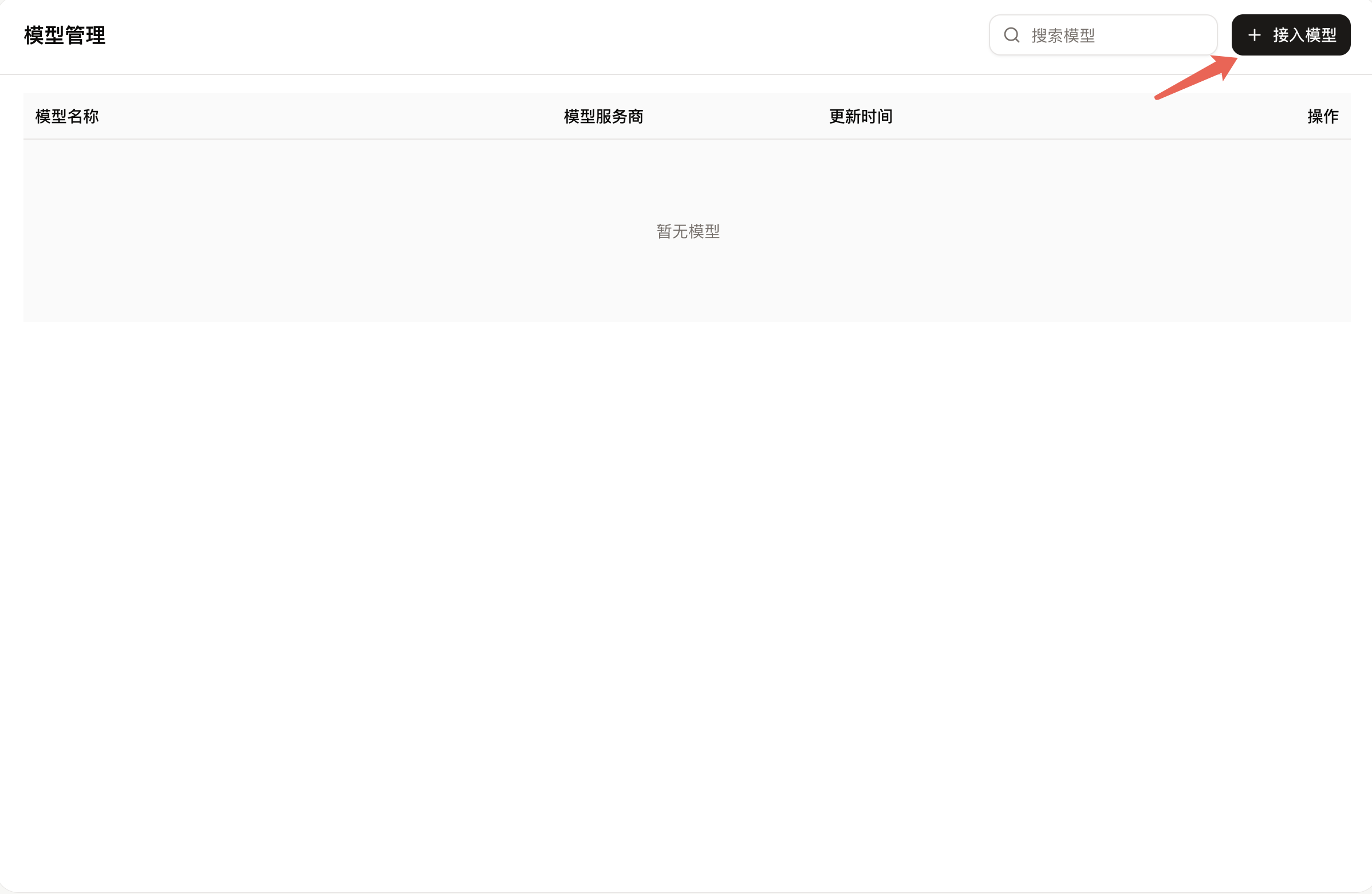
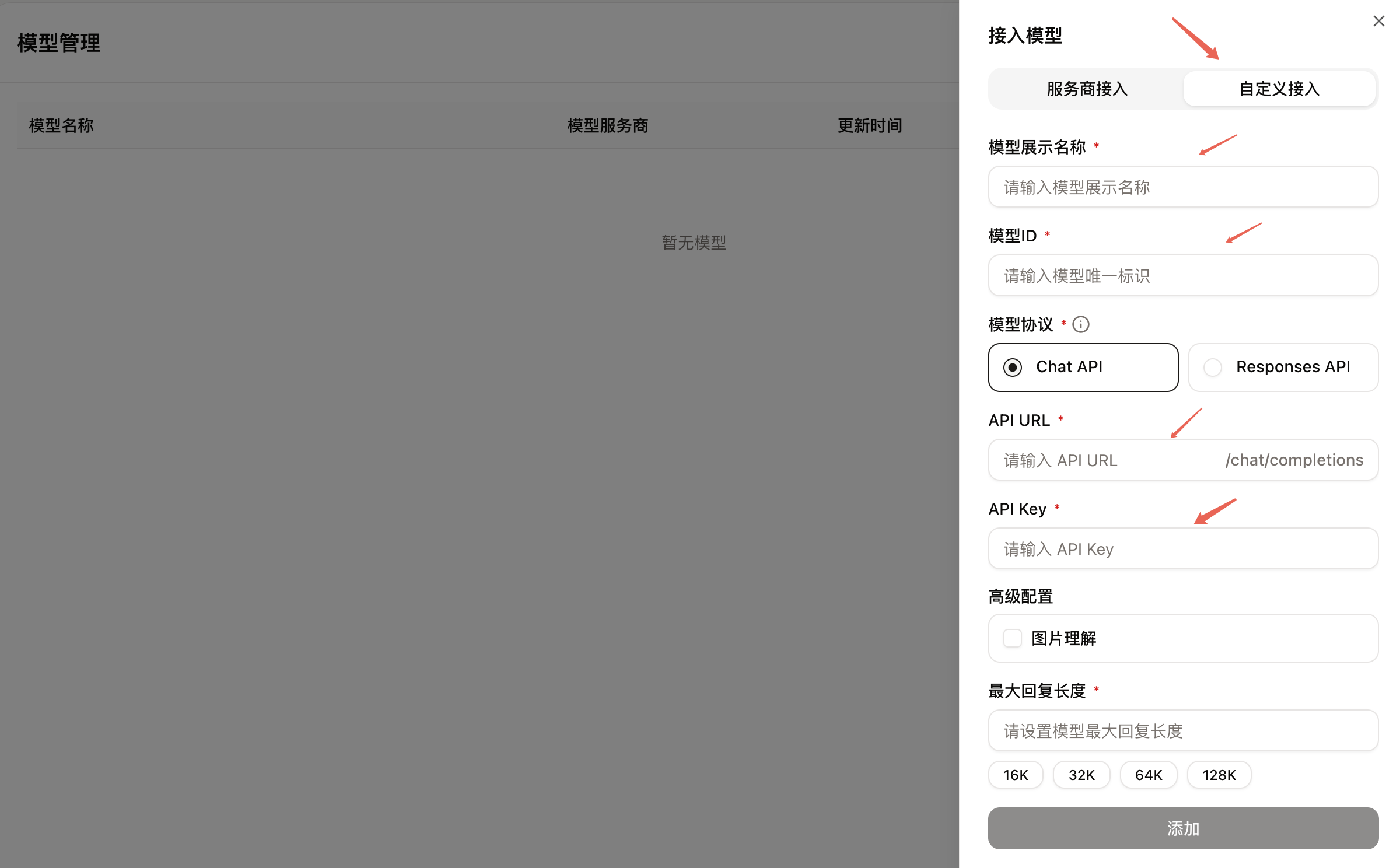
Fill in the following connection information:
| Field | Value |
|---|---|
| Model Display Name | Your custom name |
| Model ID | The model call name from the console |
| Model Protocol | Chat API or OpenAI Compatible |
| API URL | https://<your-api-endpoint> |
| API Key | Your platform API Key |
Context length, max reply length, and image capabilities cannot be guessed from the model name. When Coze requires manual declaration, fill in the values based on the current model capabilities shown in the console. Keep unconfirmed capabilities disabled or use platform defaults.
Verify the Workflow
Start with a single-turn text test, then add the model to a minimal workflow. If the workflow fails, check the failed node and request logs to determine whether the issue occurred at the model connection, input mapping, or tool call stage.