Open WebUI Integration Guide
Applicable roles: Administrator, Developer Last updated: 2026-08-06
External connections in Open WebUI are typically configured by the instance administrator. Regular users do not need to handle API Keys; they only need to select the models made available by the administrator on the chat page.
Administrator: Adding a Connection
Go to the administrator settings and locate the external connections or OpenAI API connections section. The screenshots below are from the actual Open WebUI interface; connection addresses and credentials have been replaced or redacted.
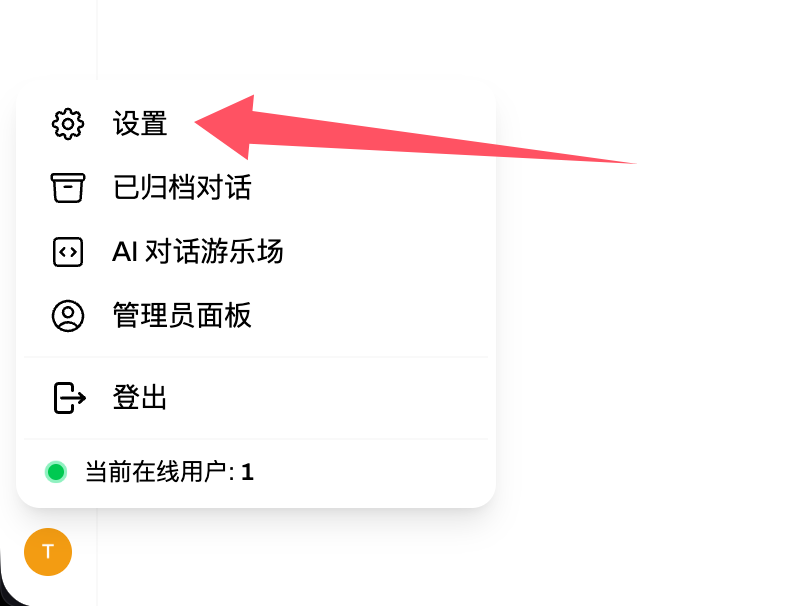
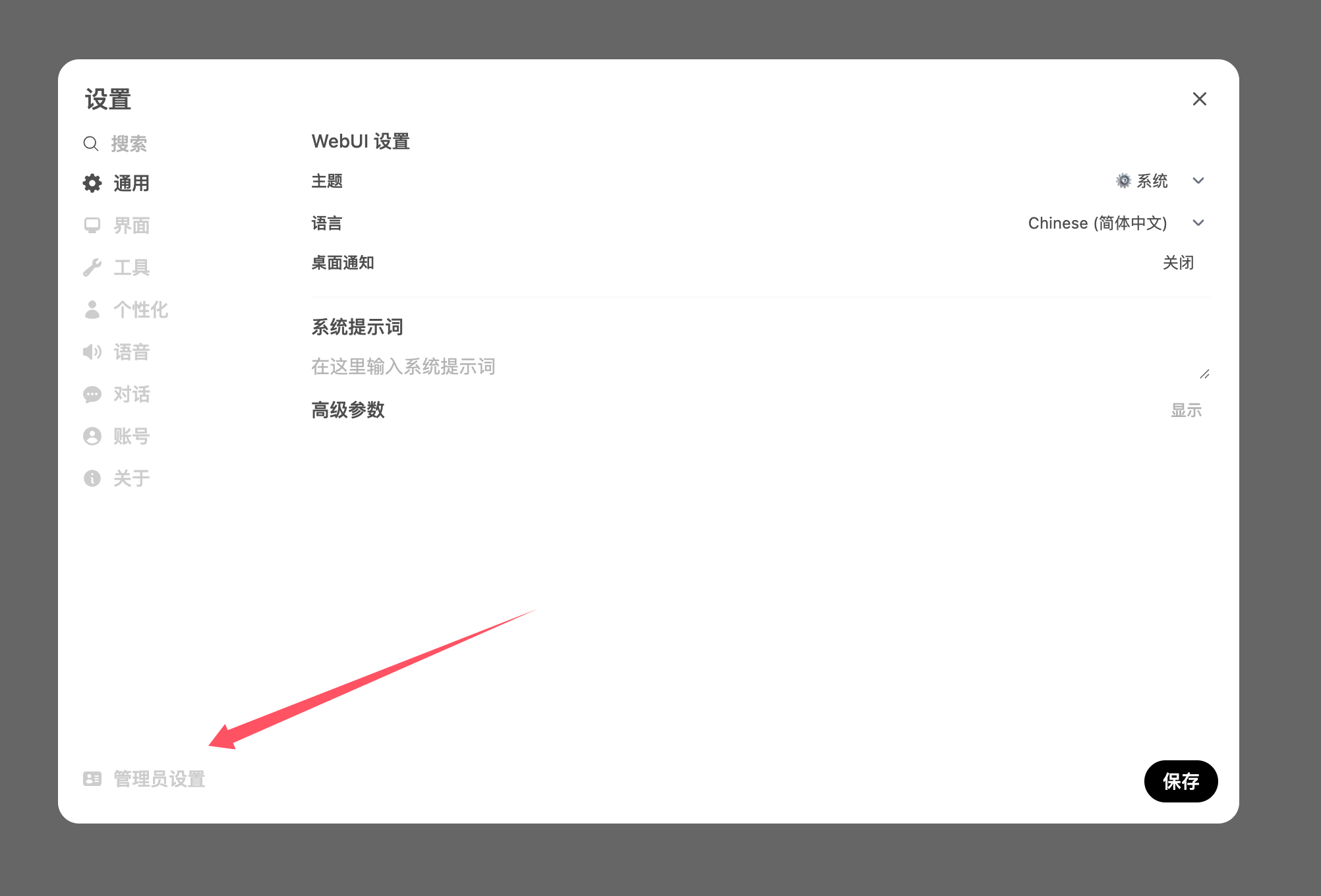
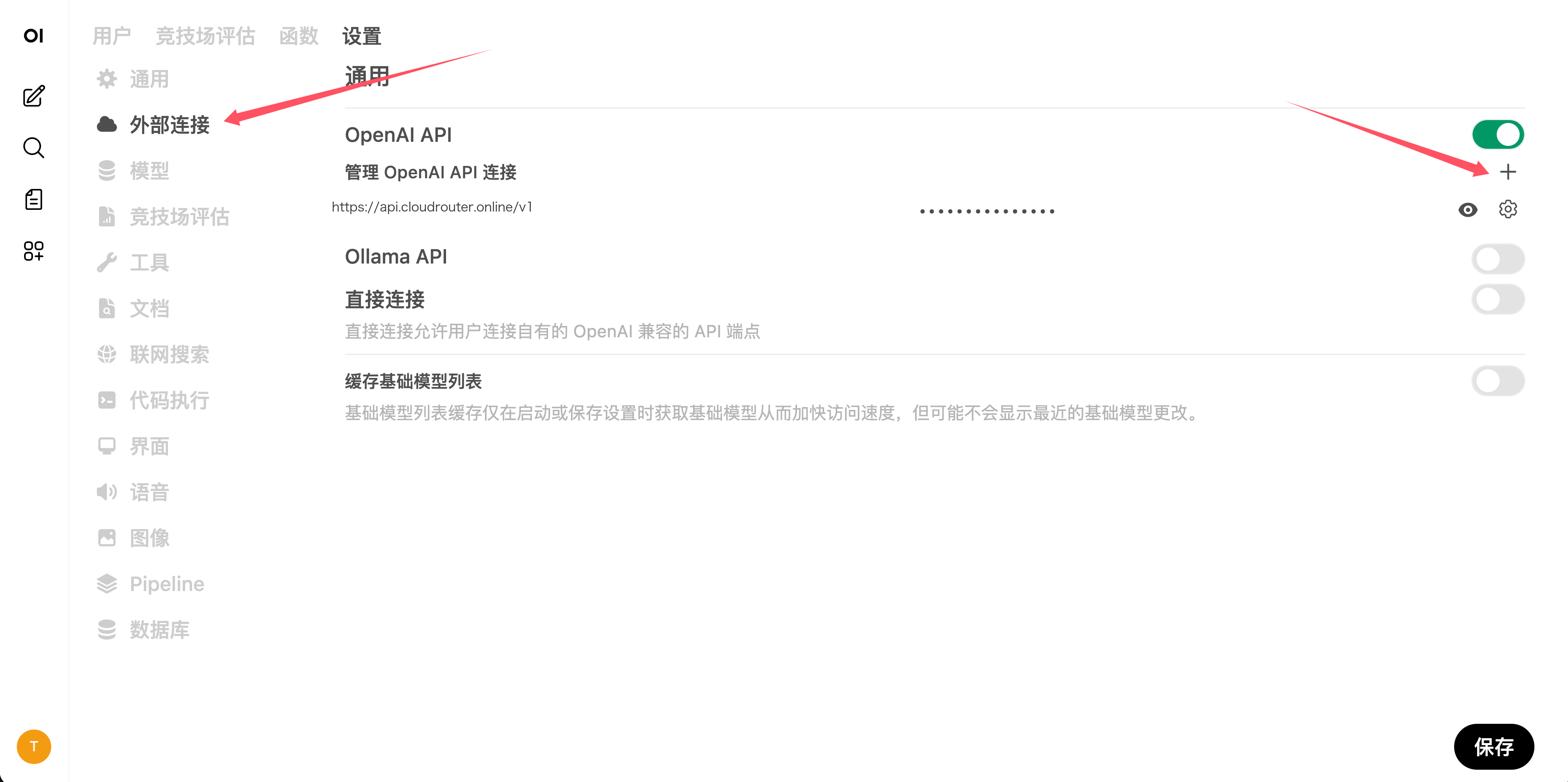
When adding a new connection, fill in the following:
| Field | Value |
|---|---|
| URL | https://<your-api-endpoint> |
| API Key | Your platform API Key |
| Model ID | You can leave this empty to let the system fetch from /v1/models, or manually add the call name |
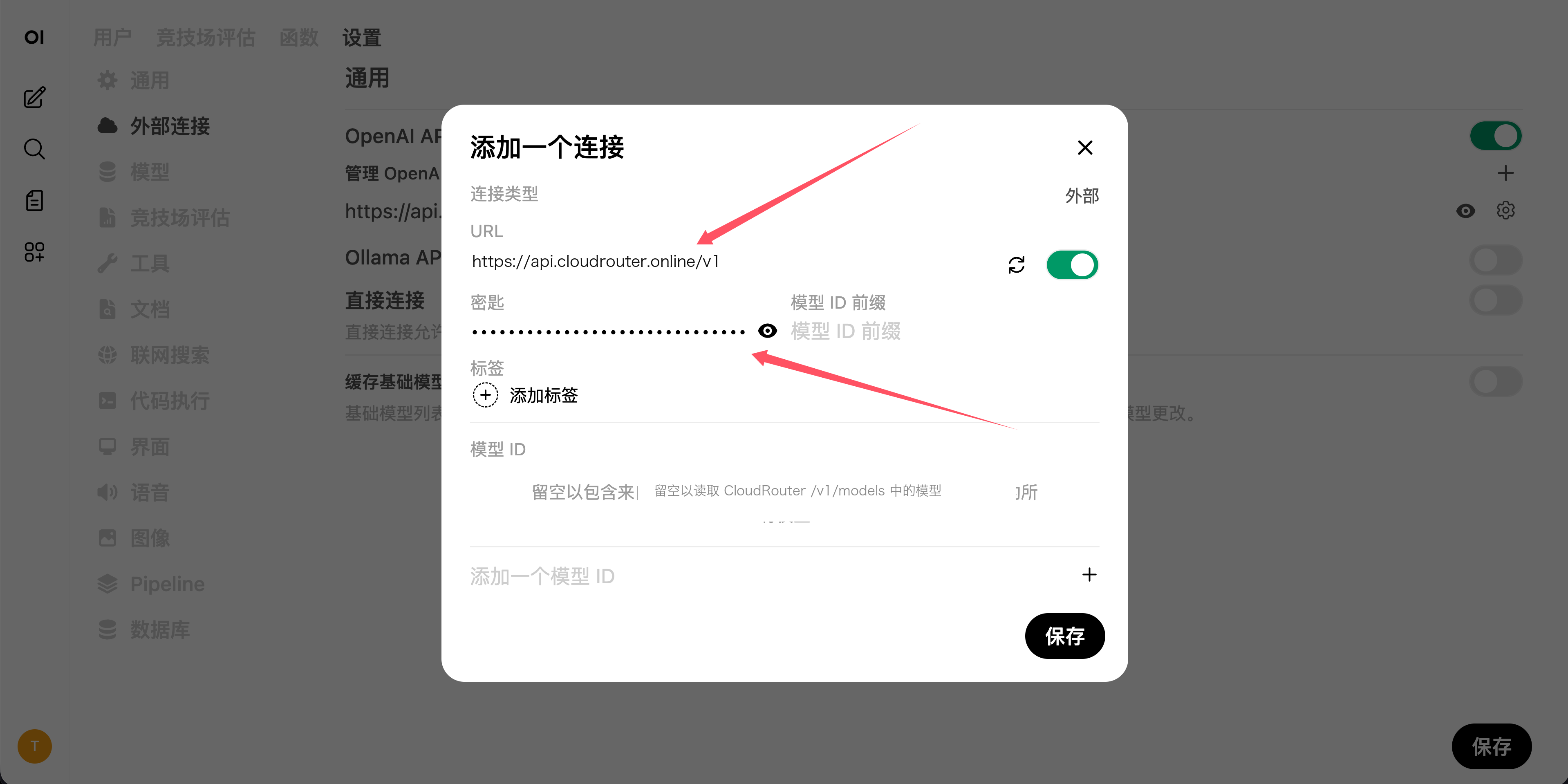
Use the endpoint address shown on the "API Key" page in the console.
Verifying the Model List
After saving, refresh the model list. If automatic fetching fails, first request /v1/models with the same Key to confirm the Key itself is valid, then manually add the call name.
In multi-user deployments, do not expose the administrator Key to regular users. When you need to separate organizations or quotas, create independent Keys for different Open WebUI instances or connections.