Call Guide
Role: Member user Last updated: 2026-08-06
The model in your request determines the target model, and the API Key's bound group determines the priority routing. In most cases, simply copy the model call name from the console. Use the full call name with a group identifier only when you need to explicitly specify a group.
How Model Names Are Routed
The platform selects a group in the following order:
- The API Key must be bound to a group.
- If the target model is available in the bound group, that group is used directly.
- If the bound group does not have the target model, the platform checks the default model configuration set by the current user and the admin user.
- If no candidate is available, the request returns an error.
Model name examples:
deepseek-v4-flash
kimi-k3
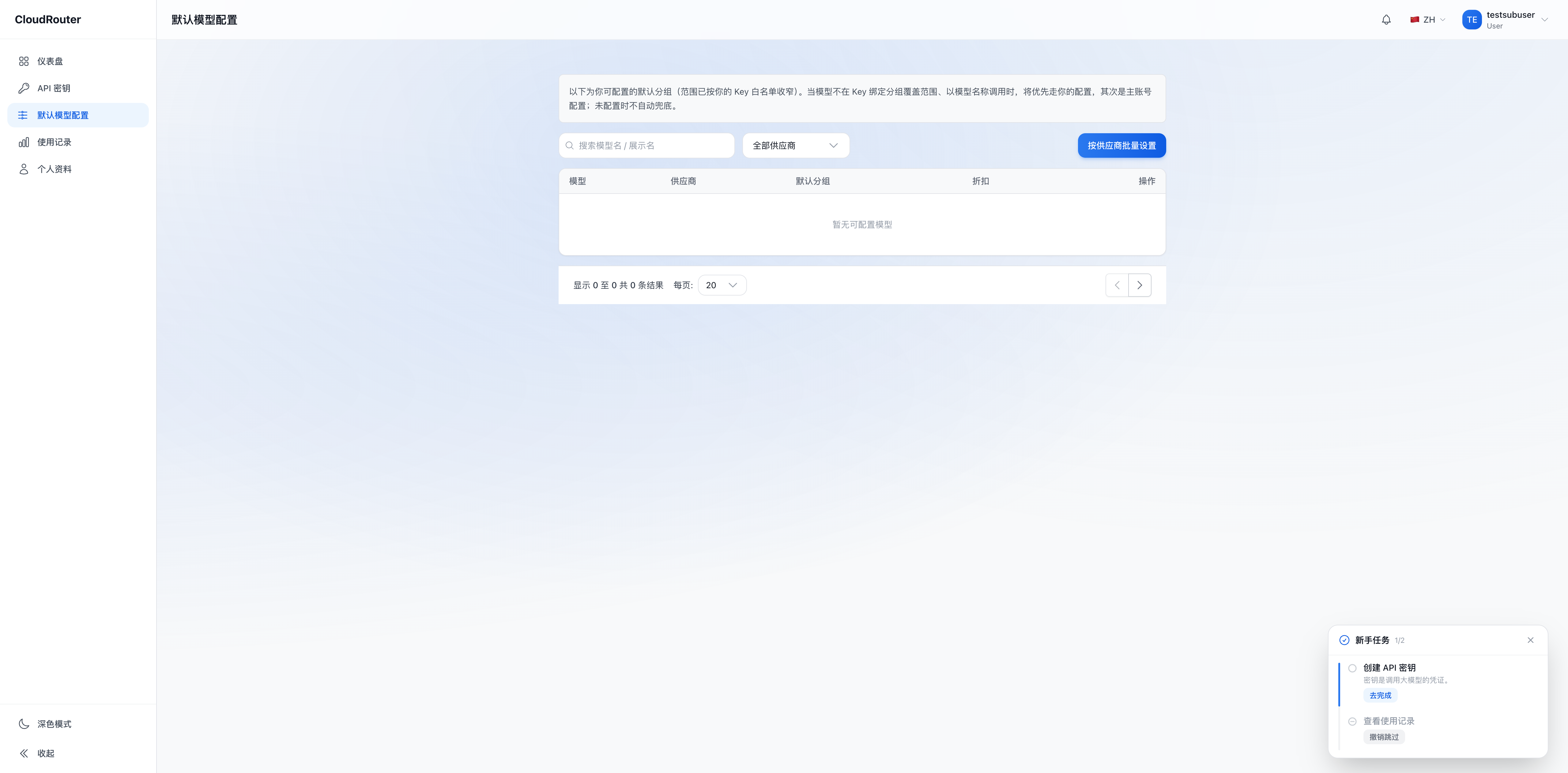
Model display names and call names may differ. It is recommended to copy from "Call Guide". You can also check currently available models in "Default Model Config".
Configuring Default Model Groups
"Default Model Config" sets fallback groups and cannot replace the API Key's bound group.
- Open "Default Model Config".
- Search for the target model.
- Select a group that the current user has access to.
- The selection takes effect immediately, and the page will show "Default group set". Then send a request with the model name to verify.
When an explicitly specified group is unavailable, the platform returns an error and does not automatically fall back to another group. For high-availability failover, the caller should select an alternative model or group based on the error type.
Using Call Names with Group Identifiers
After the admin user enables "Group Identifier Routing" and the platform-level site-wide switch is also turned on, "Call Guide" displays full call names, for example:
A2C4E6G8/deepseek-v4-flashThe prefix A2C4E6G8 is the group identifier. When using this format, the request is routed to the specified group directly, bypassing the Key's bound group and the default model configuration. The accessible scope is still limited by the current user's group permissions.
Copy the group identifier from the console; do not construct it manually. When this feature is not enabled, model name calls are not affected.
Code Examples
# Using a model name
response = client.chat.completions.create(
    model="deepseek-v4-flash",
    messages=[{"role": "user", "content": "Hello"}],
)

# Using the full call name copied from the console
response = client.chat.completions.create(
    model="A2C4E6G8/deepseek-v4-flash",
    messages=[{"role": "user", "content": "Hello"}],
)
For Base URL, authentication, and complete request examples, see the Developer Guide.
Verifying Routing
After sending a short request, check the model, Key, and group in "Usage Records". If the record does not match expectations, verify the following in order:
- The Key's currently bound group.
- Default model configuration.
- Whether the
modelincludes a group identifier. - Whether the current user has access to the target group.
- Whether the target group and upstream account are available.
FAQ
Can I make calls if the API Key has no bound group? Model name calls will be rejected. First bind an available group under "API Key".
How do I handle "Model Not Found"? Re-copy the call name from the console and confirm that the Key can reach a group containing the model.
Can a group identifier access any group? No. You can only access groups that the organization and admin user have assigned to the current user.